31 May 2026
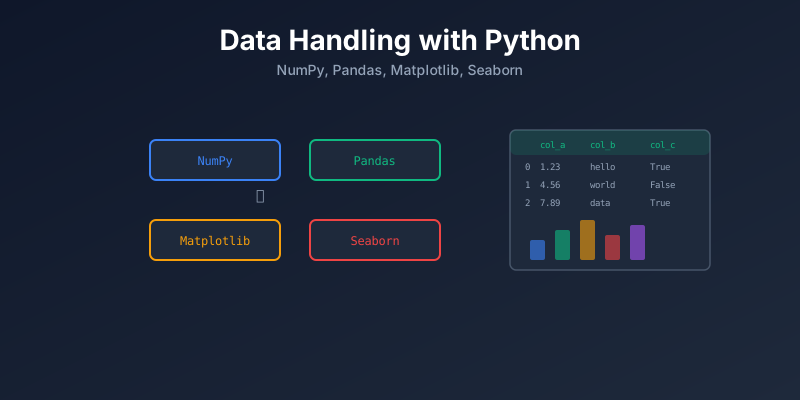
Data Handling with Python: NumPy, Pandas, Matplotlib, Seaborn
A practical guide to data preprocessing and cleaning using NumPy, Pandas, Matplotlib, and Seaborn.
Data Python
NumPy Pandas Matplotlib Seaborn
Data preprocessing and cleaning is where most data work begins. These four libraries are the foundation.
The Data Pipeline
Raw Data → Clean → Transform → Analyze → Visualize
            ↑         ↑          ↑          ↑
          Pandas    Pandas     Pandas   Matplotlib
          NumPy     NumPy      NumPy    Seaborn
NumPy — Numerical Computing
NumPy is the base for all scientific computing in Python. It provides fast arrays and math operations.
import numpy as np

# Create arrays
arr = np.array([1, 2, 3, 4, 5])
zeros = np.zeros((3, 4))        # 3x4 matrix of zeros
ones = np.ones((2, 3))          # 2x3 matrix of ones
rng = np.arange(0, 10, 2)      # [0, 2, 4, 6, 8]

# Math operations (vectorized — fast)
arr * 2          # [2, 4, 6, 8, 10]
arr ** 2         # [1, 4, 9, 16, 25]
np.mean(arr)     # 3.0
np.std(arr)      # 1.414
np.sum(arr)      # 15

# Reshape
matrix = np.arange(12).reshape(3, 4)

# Boolean indexing
arr[arr > 3]     # [4, 5]
Pandas — Data Manipulation
Pandas is the main tool for working with tabular data (like Excel or SQL tables).
DataFrame Basics
import pandas as pd

# Read data
df = pd.read_csv("sales.csv")
df = pd.read_json("data.json")
df = pd.read_parquet("data.parquet")

# Explore
df.head()          # first 5 rows
df.shape           # (rows, columns)
df.dtypes          # column types
df.describe()      # statistics
df.info()          # summary
df.columns         # column names
Data Cleaning
# Missing values
df.isnull().sum()              # count nulls per column
df.dropna()                    # remove rows with nulls
df.fillna(0)                   # fill nulls with 0
df["col"].fillna(df["col"].mean())  # fill with mean

# Duplicates
df.duplicated().sum()          # count duplicates
df.drop_duplicates()           # remove duplicates

# Types
df["date"] = pd.to_datetime(df["date"])
df["price"] = df["price"].astype(float)

# Rename
df.rename(columns={"old": "new"}, inplace=True)

# Remove columns
df.drop(columns=["unwanted"], inplace=True)
Filtering and Selecting
# Filter rows
df[df["price"] > 100]
df[(df["price"] > 100) & (df["category"] == "A")]

# Select columns
df[["name", "price"]]
df.loc[0:5, "name":"price"]    # by label
df.iloc[0:5, 0:3]              # by position
Grouping and Aggregation
# Group by
df.groupby("category")["price"].mean()
df.groupby("category").agg({"price": "mean", "quantity": "sum"})

# Pivot table
df.pivot_table(values="price", index="category", columns="year", aggfunc="mean")
Merge and Join
# Merge (like SQL JOIN)
merged = pd.merge(orders, customers, on="customer_id", how="left")

# Concat (stack DataFrames)
combined = pd.concat([df1, df2], axis=0)
Matplotlib — Basic Plots
Matplotlib is the foundation for plotting in Python.
import matplotlib.pyplot as plt

# Line chart
plt.plot(x, y)
plt.title("Sales Over Time")
plt.xlabel("Month")
plt.ylabel("Revenue")
plt.show()

# Bar chart
plt.bar(categories, values)
plt.show()

# Histogram
plt.hist(df["price"], bins=20)
plt.show()

# Scatter plot
plt.scatter(df["age"], df["income"])
plt.show()

# Subplots
fig, axes = plt.subplots(1, 2, figsize=(12, 5))
axes[0].plot(x, y1)
axes[1].bar(categories, values)
plt.tight_layout()
plt.show()
Seaborn — Statistical Visualization
Seaborn builds on Matplotlib with nicer defaults and statistical plots.
import seaborn as sns

# Distribution
sns.histplot(df["price"], kde=True)

# Relationships
sns.scatterplot(data=df, x="age", y="income", hue="category")

# Categorical
sns.boxplot(data=df, x="category", y="price")
sns.violinplot(data=df, x="category", y="price")

# Correlation heatmap
sns.heatmap(df.corr(), annot=True, cmap="coolwarm")

# Pairplot (all relationships)
sns.pairplot(df, hue="category")
Common Cleaning Tasks
| Task | Code |
|---|---|
| Remove nulls | df.dropna() |
| Fill nulls | df.fillna(value) |
| Remove duplicates | df.drop_duplicates() |
| Fix types | df["col"].astype(type) |
| String cleanup | df["col"].str.strip().str.lower() |
| Outlier removal | df[df["col"] < df["col"].quantile(0.99)] |
| Encoding categories | pd.get_dummies(df, columns=["cat"]) |
| Normalize | (df["col"] - df["col"].mean()) / df["col"].std() |
Summary
| Library | Purpose | Key Use |
|---|---|---|
| NumPy | Fast math on arrays | Numerical computing, vectorized operations |
| Pandas | Tabular data manipulation | Read, clean, transform, aggregate |
| Matplotlib | Basic plotting | Line, bar, scatter, histogram |
| Seaborn | Statistical visualization | Heatmaps, distributions, correlations |