12 April 2026
GitHub Codespaces & Dev Containers: Consistent Environments in Seconds
How to use Dev Containers and devcontainer.json to create reproducible development environments for GitHub Codespaces, VS Code, and beyond.
Setting up a dev environment shouldn’t take a full day. Clone, install, configure, debug missing dependencies, install the right version of Node… you know the drill. Dev Containers fix this by defining your environment as code.
What Are Dev Containers?
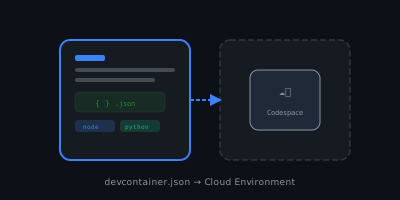
Dev Containers is an open specification for defining development environments using Docker containers. The configuration lives in a devcontainer.json file inside your repository.
When you open the project in GitHub Codespaces or VS Code (with the Dev Containers extension), it:
- Builds or pulls the container image
- Installs the specified tools and extensions
- Runs any setup commands
- Drops you into a fully configured environment
Everyone on the team gets the exact same setup. No more “it works on my machine.”
The devcontainer.json File
Place it at .devcontainer/devcontainer.json:
{
  "name": "My Project",
  "image": "mcr.microsoft.com/devcontainers/base:ubuntu",
  "features": {
    "ghcr.io/devcontainers/features/python:1": {
      "version": "3.12"
    },
    "ghcr.io/devcontainers/features/node:1": {
      "version": "20"
    },
    "ghcr.io/devcontainers/features/azure-cli:1": {}
  },
  "customizations": {
    "vscode": {
      "extensions": [
        "ms-python.python",
        "dbaeumer.vscode-eslint",
        "esbenp.prettier-vscode"
      ],
      "settings": {
        "editor.formatOnSave": true
      }
    }
  },
  "postCreateCommand": "npm install",
  "forwardPorts": [3000, 8080]
}
Dev Container Features
Features are the real superpower. Instead of writing Dockerfiles to install tools, you compose pre-built modules. Some popular ones:
| Feature | What It Installs |
|---|---|
ghcr.io/devcontainers/features/python:1 | Python + pip |
ghcr.io/devcontainers/features/node:1 | Node.js + npm |
ghcr.io/devcontainers/features/azure-cli:1 | Azure CLI |
ghcr.io/devcontainers/features/docker-in-docker:1 | Docker inside the container |
ghcr.io/devcontainers/features/kubectl-helm-minikube:1 | Kubernetes tools |
ghcr.io/devcontainers/features/terraform:1 | Terraform CLI |
ghcr.io/devcontainers/features/github-cli:1 | GitHub CLI (gh) |
ghcr.io/devcontainers/features/powershell:1 | PowerShell |
Browse all available features at containers.dev/features.
You can also create your own features and publish them to a container registry.
GitHub Codespaces
GitHub Codespaces is a cloud-hosted dev environment that uses Dev Containers under the hood. When you click “Create Codespace” on a repo:
- GitHub provisions a VM
- Builds the container from
devcontainer.json - Opens VS Code in the browser (or your local VS Code)
Why Codespaces?
- Zero local setup — works from any machine, even a tablet
- Prebuilds — configure prebuilt images so Codespaces start in seconds instead of minutes
- Consistent — the
devcontainer.jsonis version-controlled, so every branch can have its own config - Secure — code stays in the cloud, not on local machines (important for enterprise)
Prebuilds
For large projects, you can configure prebuilds that build the container image in advance:
- Go to repo Settings → Codespaces → Prebuilds
- Configure which branches trigger a prebuild
- Codespaces start almost instantly
Using a Custom Dockerfile
For more control, reference a Dockerfile:
{
  "name": "Custom Environment",
  "build": {
    "dockerfile": "Dockerfile",
    "context": ".."
  },
  "features": {
    "ghcr.io/devcontainers/features/github-cli:1": {}
  }
}
This lets you combine a custom base image with Dev Container Features.
Lifecycle Scripts
You can run scripts at different stages:
| Hook | When It Runs |
|---|---|
initializeCommand | Before the container is created (runs on host) |
onCreateCommand | After the container is created (first time only) |
updateContentCommand | After creating or updating content |
postCreateCommand | After everything is set up |
postStartCommand | Every time the container starts |
postAttachCommand | Every time a tool attaches to the container |
{
  "postCreateCommand": "pip install -r requirements.txt && npm install",
  "postStartCommand": "echo 'Ready to code!'"
}
Security: Dependency Isolation
One underrated benefit of Dev Containers is supply chain security. When you run npm install or pnpm install on your host machine, packages can execute lifecycle scripts (preinstall, postinstall) that run arbitrary code with full access to your filesystem, SSH keys, cloud credentials, and browser data.
Inside a Dev Container, these scripts run sandboxed — they can only access the container’s environment. Even if a compromised package runs a malicious postinstall script, it can’t reach your host machine’s sensitive files.
For extra protection, add an .npmrc file to your project to disable lifecycle scripts by default:
ignore-scripts=trueThis prevents any package from running scripts during install. When you actually need them (e.g., native module compilation), override it explicitly:
pnpm install --ignore-scripts=falseCombining Dev Containers with ignore-scripts=true gives you two layers of defense against supply chain attacks.
My Take
Dev Containers changed how I onboard to projects. Instead of a wiki page with 20 steps, I point people to the devcontainer.json and say “open in Codespaces.” Five minutes later, they’re writing code.
If you maintain a project with more than one contributor, add a devcontainer.json today. Start simple with an image and a few features, then iterate.