8 April 2026
How the Internet Works: From Click to Response
A simplified explanation of how the internet works — from cables and datacenters to DNS, HTTP, and the cloud infrastructure behind every request.
You open a browser, type a URL, and a website appears. But what actually happens between that click and the page loading? Let’s break it down.
It Starts with Cables
The internet is, at its core, a global network of physical cables — fiber optic cables running under oceans, across continents, and into buildings. These cables carry data as pulses of light at near-light speed.
Submarine cables connect continents. Companies like Google, Microsoft, Meta, and Amazon own or lease massive portions of this infrastructure.
Datacenters: Where the Cloud Lives
When people say “the cloud,” they mean someone else’s computer — specifically, computers sitting in massive datacenters around the world.
Microsoft alone operates datacenters in 60+ regions globally. You can explore them at datacenters.microsoft.com. Each datacenter contains thousands of servers, storage systems, and networking equipment, all cooled, powered, and secured 24/7.
When you deploy an app to Azure, AWS, or GCP, your code runs on physical servers inside one of these facilities.
What Happens When You Type a URL
1. DNS Resolution
Your browser needs to turn www.example.com into an IP address (like 93.184.216.34). It asks a DNS (Domain Name System) server — essentially the phone book of the internet.
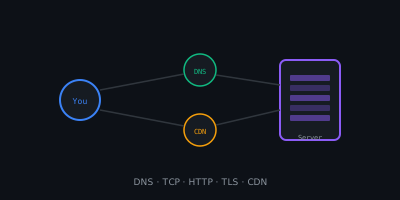
You → Local DNS cache → ISP DNS → Root DNS → TLD DNS → Authoritative DNS
                                                           ↓
                                                    93.184.216.34
2. TCP Connection
Your browser opens a TCP (Transmission Control Protocol) connection to the server’s IP address. This is a three-step handshake:
- SYN — “Hey, I want to connect”
- SYN-ACK — “Got it, let’s connect”
- ACK — “Connected!”
For HTTPS (which is most of the web today), there’s an additional TLS handshake to establish encryption.
3. HTTP Request
Your browser sends an HTTP request:
GET /index.html HTTP/2
Host: www.example.com
Accept: text/html
4. Server Processing
The server receives the request and processes it. This might involve:
- Serving a static file (HTML, CSS, image)
- Running application code (Node.js, Python, etc.)
- Querying a database
- Calling other services (APIs, caches)
5. HTTP Response
The server sends back a response:
HTTP/2 200 OK
Content-Type: text/html

<!DOCTYPE html>
<html>...
6. Rendering
Your browser parses the HTML, fetches CSS, JavaScript, images, and fonts (each a separate HTTP request), and renders the page.
The Key Players
| Component | Role |
|---|---|
| ISP | Your Internet Service Provider — connects you to the network |
| DNS | Translates domain names to IP addresses |
| CDN | Content Delivery Network — caches content closer to you |
| Load Balancer | Distributes traffic across multiple servers |
| Web Server | Handles HTTP requests and serves responses |
| Database | Stores and retrieves data |
| Firewall/WAF | Filters malicious traffic |
CDNs: Bringing Content Closer
A Content Delivery Network caches copies of your website in servers around the world (called edge nodes or PoPs). When someone in Tokyo requests your site hosted in Europe, the CDN serves it from a nearby node instead of crossing the ocean.
Azure CDN, Cloudflare, and AWS CloudFront are common examples.
IP Addresses and Routing
Every device on the internet has an IP address. Data travels in packets, each with a source and destination IP. Routers along the path decide the best next hop for each packet.
- IPv4:
192.168.1.1(4 billion addresses — we ran out) - IPv6:
2001:0db8:85a3::8a2e:0370:7334(virtually unlimited)
Protocols That Make It Work
| Protocol | Layer | Purpose |
|---|---|---|
| HTTP/HTTPS | Application | Web communication |
| TCP | Transport | Reliable, ordered delivery |
| UDP | Transport | Fast, no guarantees (video, gaming) |
| IP | Network | Addressing and routing |
| TLS/SSL | Security | Encryption |
| DNS | Application | Name resolution |
My Take
Understanding how the internet works — even at a high level — makes you a better engineer. When a deployment fails, an API times out, or latency spikes, knowing the layers involved helps you debug faster.
Next time your website loads in 200ms, remember: your request traveled through DNS servers, across fiber optic cables, hit a load balancer, ran through application code, queried a database, and came back — all in the blink of an eye.