31 May 2026
Testing with Pytest and TDD
Why testing matters, how to use Pytest, and why Test-Driven Development is even more important in the age of AI.
Software Python
Testing Pytest TDD AI
Testing is one of the most important practices in software development. It gives you confidence that your code works, and it prevents bugs from reaching production.
Why Testing Matters
- Catches bugs early — cheaper to fix in development than in production
- Documents behavior — tests show what the code should do
- Enables refactoring — change code without fear of breaking things
- Speeds up development — automated tests are faster than manual checking
Testing for AI Validation
With AI-generated code (Copilot, Claude, ChatGPT), testing is critical:
- AI can generate code that looks correct but has subtle bugs
- Tests validate that AI-generated code actually works
- Give AI your tests as acceptance criteria — it produces better code
- Tests are the “single most impactful practice” for agentic coding (Anthropic)
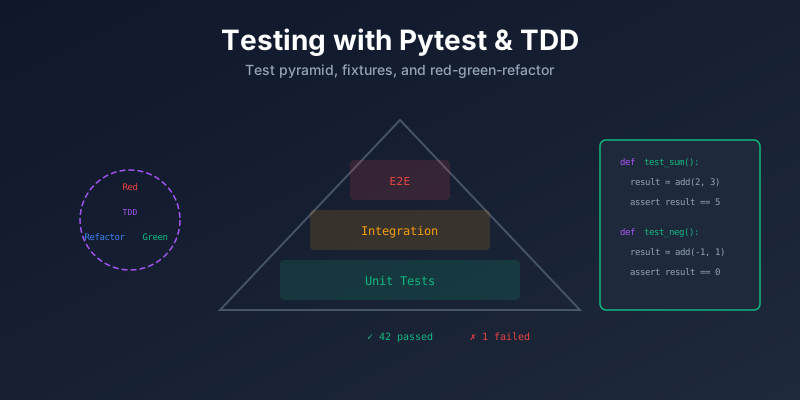
The Testing Pyramid
        /  E2E  \          ← Few, slow, expensive
       /----------\
      / Integration \      ← Some, medium speed
     /----------------\
    /    Unit Tests     \  ← Many, fast, cheap
/____________________\| Level | What it tests | Speed | Count |
|---|---|---|---|
| Unit | Single function or class | Fast | Many |
| Integration | Multiple components together | Medium | Some |
| E2E | Full user flow | Slow | Few |
Test-Driven Development (TDD)
TDD means writing tests before writing code. The cycle:
1. RED    → Write a failing test
2. GREEN  → Write minimum code to pass
3. REFACTOR → Clean up the code
↻ Repeat
Benefits of TDD:
- Forces you to think about design first
- You get 100% test coverage by default
- Small, focused iterations
- Acts as living documentation
Pytest Basics
Pytest is the most popular Python testing framework. Simple and powerful.
Install
pip install pytestWrite a Test
# calculator.py
def add(a, b):
    return a + b

# test_calculator.py
from calculator import add

def test_add_positive():
    assert add(2, 3) == 5

def test_add_negative():
    assert add(-1, -1) == -2

def test_add_zero():
    assert add(0, 0) == 0
Run Tests
pytest                    # run all tests
pytest test_calculator.py # run specific file
pytest -v                 # verbose output
pytest -k "test_add"      # run tests matching pattern
Key Pytest Features
Fixtures — Reusable Setup
import pytest

@pytest.fixture
def database():
    db = create_test_db()
    yield db
    db.cleanup()

def test_insert(database):
    database.insert({"name": "Alice"})
    assert database.count() == 1
Parametrize — Multiple Inputs
@pytest.mark.parametrize("a, b, expected", [
    (1, 2, 3),
    (0, 0, 0),
    (-1, 1, 0),
])
def test_add(a, b, expected):
    assert add(a, b) == expected
Markers — Categorize Tests
@pytest.mark.slow
def test_heavy_computation():
    ...

# Run: pytest -m "not slow"
Mocking
from unittest.mock import patch

def test_api_call():
    with patch("module.requests.get") as mock_get:
        mock_get.return_value.status_code = 200
        result = fetch_data()
        assert result is not None
Project Structure
project/
├── src/
│   └── calculator.py
├── tests/
│   ├── conftest.py        ← shared fixtures
│   ├── test_calculator.py
│   └── test_integration.py
├── pytest.ini             ← pytest config
└── requirements.txt
pytest.ini Example
[pytest]
testpaths = tests
markers =
    slow: marks tests as slow
    integration: integration tests
addopts = -v --tb=short
Summary
| Concept | Key Point |
|---|---|
| Unit Tests | Test one function, fast, many |
| Integration | Test components together |
| TDD | Write test first, then code |
| Fixtures | Reusable setup/teardown |
| Parametrize | Test multiple inputs easily |
| AI + Tests | Tests validate AI-generated code |